
Customers write the gift message, and your packers read it on the order
Each message stays with its own gift, instead of getting lost in a cart note. Customers write it where they pick the gift: the product page, the cart drawer, or the cart page.
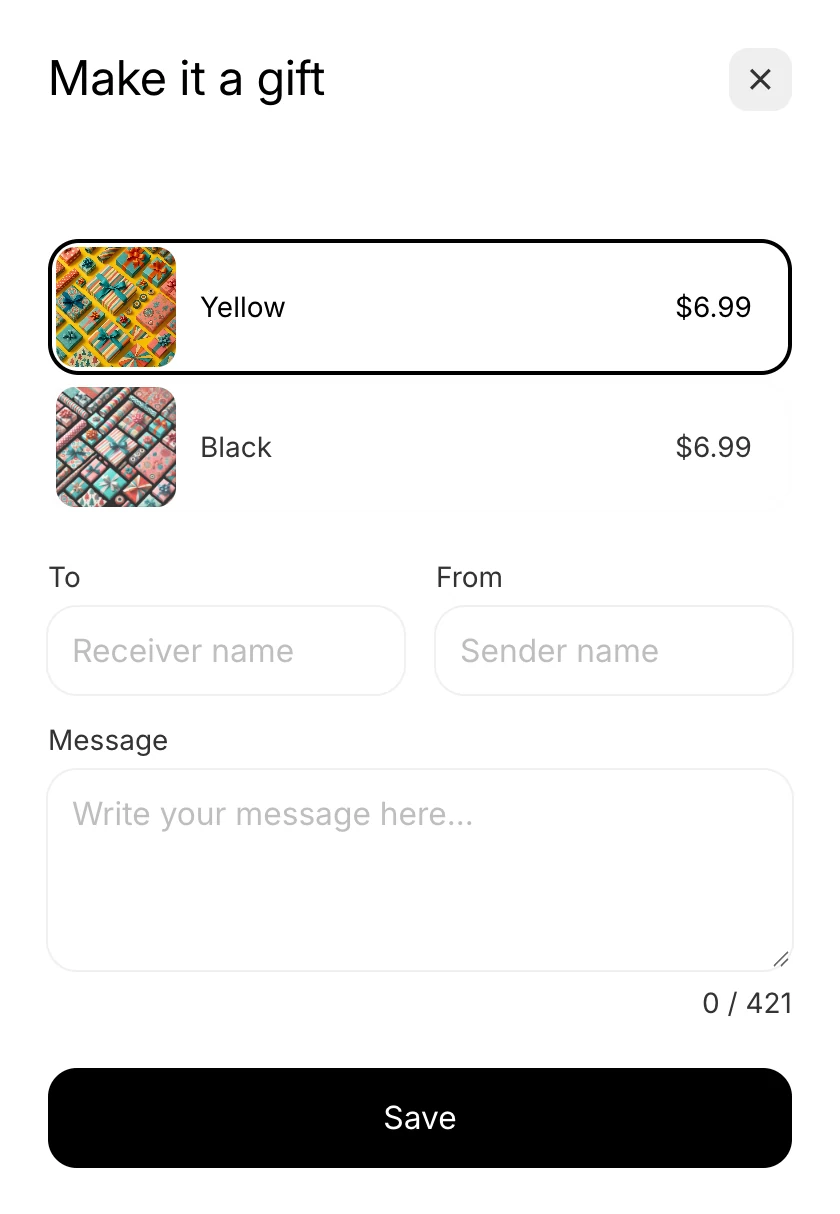
Customers write the message in the Gift Block
Customers say who the gift is for and who it is from, then write the message. A counter under the box counts each character as they type.
- Three fields. To and From take the two names, and Message takes the note.
- Free message, paid wrap. With gift choices optional, customers write a gift message for free and tick to add a paid wrap.
- Required or optional. Require the message, and customers write one before they can save. Leave it optional, and they can skip it.
- Emoji on or off. Turn emoji off if your printer or packing slips cannot show them.
Every message lands where your packers look
Your packers and 3PL read each message on the order they already work from. Nobody retypes a note.
- On the item. The gift choice, To, From, and message sit with the gifted item.
- In the order note. One note lists each gifted item with its message, so packers see every gift in one place.
- On the order. When customers gift the whole order, To, From, and the message sit on the order itself.
Ask for just the fields each gift needs
You decide what customers fill in. A gift box can ask for a message, while a plain gift bag skips it.
- One switch per field. Ask for the message only, the names only, or all three.
- Your own words. Write the text above each field and the hint inside it, so Gift Blocks sound like your store.
- Off for one gift variant. Turn the message off for a plain gift bag. It stays on for your other gift variants.
- Maximum characters. Set how long a message can be, up to 2,000 characters.
Each field shows in the language customers shop in
Wrapped reads the languages your store publishes in Shopify and shows the message fields in each one.
- No extra steps. There is nothing to set up for each language, and nothing extra to pay.
- Edit any translation. Change the text above a field or the hint inside it, in any language.
- Preview each language. Switch the preview to a language and check the fields before you save.
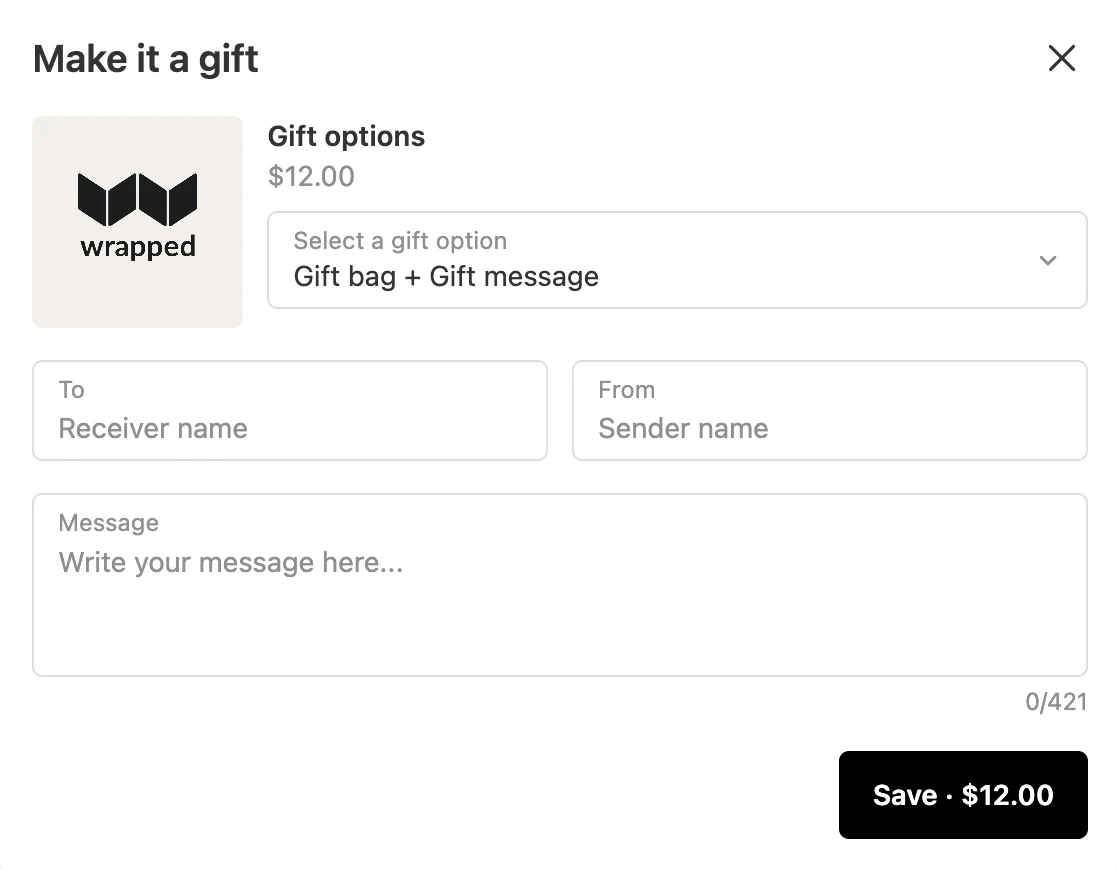
On Shopify Plus, customers write it at checkout too
Every store gets the message on the product page, in the cart drawer, and on the cart page. Shopify Plus stores get checkout on top.
- To, From, and Message. Customers fill them in without leaving checkout.
- Your checkout's look. The checkout Gift Block is styled by your checkout branding.
- On the order. A message written at checkout lands on the order like any other.
I searched FOREVER and tried so many different gifting apps. This is the one! You know all the exceptions you have? They handle it all. Exclude this, tie this to that. Don't show it here, show it here. They have thought of it all.
Questions about gift messaging
Can customers write a gift message without buying gift wrap?
Yes, with gift choices optional, customers write a gift message for free. They tick to add a paid wrap only when they want one.
Where does the gift message show on the order?
On the gifted item and in the order note, where packers and 3PLs already look. For a gift on the whole order, the message sits on the order itself.
Can I turn off the message for one gift option?
Yes, in the Gifting editor, turn off the message for one gift variant, such as a plain gift bag. It stays on for your other gift variants.
Is there a limit on the message?
You set the limit, up to 2,000 characters. A counter under the message box shows customers how many characters they have used.
Does the gift message work in every language my store sells in?
Yes, Wrapped shows the message fields in each language your store publishes in Shopify. There is no extra step or cost, and you can edit any translation.
Does the gift message work at checkout?
Yes, on Shopify Plus stores, in addition to the product page, cart drawer, and cart page. A message written at checkout lands on the order like any other.
Gift messaging on every Wrapped plan
Rated 4.8 on the Shopify App Store. Every feature is on every plan, with a 7-day free trial.